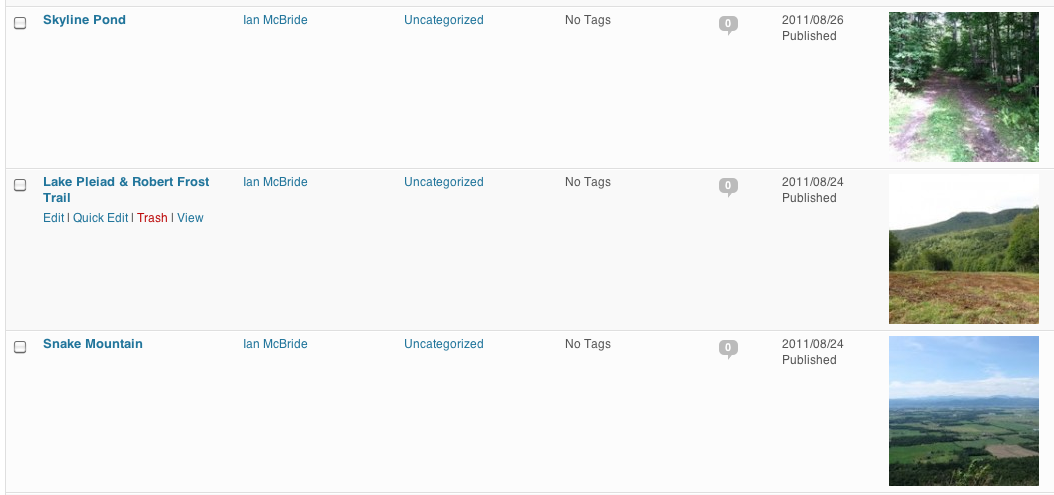
If you use Featured Images for posts in your WordPress site, you can now enable a plugin for your site that will show these images to you on the All Posts page in the administration interface for your site. This can help you quickly identify posts in the list. The name of the plugin is “Midd Post Thumbnails”. Simply activate it on the Plugins administration page and your posts list will now look something like this.
Is this something that only applies if you have your own wordpress blog? I don’t see a plugin option on the dashboard for the LIS blog or Liaisons blog.
You need to be the Administrator of the blog to enable and disable plugins. You’re an Editor on the LIS blog, which lets you write and publish posts, but not change the plugins or theme. I’d be happy to enable this on the LIS blog, but we don’t use Featured Images in our posts, so it wouldn’t add much.
I’m fine with editor role, it just wasn’t clear to me if this was something I was supposed to know about or not.
Nice plugin, thanks for sharing, Ian McBride.