


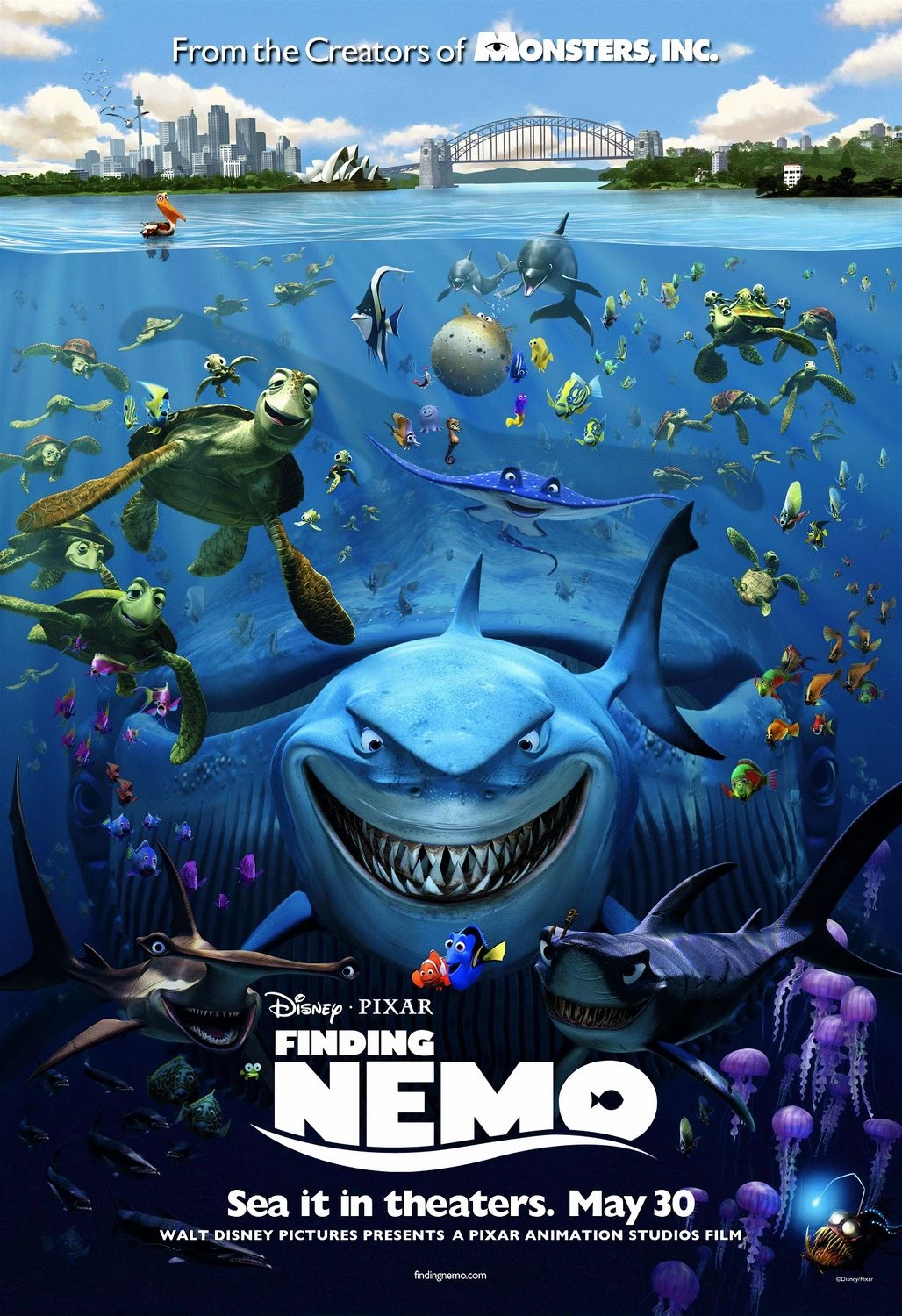
1.Why I choose Finding Nemo?
Finding Nemo is one of my favorite animated films. It is a 2003 American computer-animated comedy-drama adventure film written and directed by Andrew Stanton. The film received critical acclaim and won the Academy Award for Best Animated Feature. It is not only entertaining but also inspiring and thought-provoking. It contains a lot of valuable life lessons for both children and adults. The most inspiring one is this: “when things get tough, just keep swimming.” Since I want more audiences in China, Japan, and France get a chance to know this fantastic film, I choose to localize the poster of Finding Nemo into three different languages, including Chinese, Japanese, and French.
2. What tools do I use?

Adobe Photoshop and Adobe Illustrator are two of my best friends in this localization process. Mainly I used Adobe Photoshop. I used Adobe Illustrator to assist the whole process.
3. How to localize it?
This poster is the 2003 version; it is outlined. Thus, it’s not editable. I realized soon after that Adobe Photoshop is a great tool to help me fix this problem. Firstly, I opened it in Adobe Photoshop. Then, I used the select tool to select the text that I want to delete. Afterward, I decided to use the edit menu in the window bar and chose the Content-Aware Fill function. Then, look, something magic.

All the original text was gone. Thus, it gives us the space to add the translated text.
The next step is to find the appropriate font, especially the font for Monsters, Inc. The title of a classic Disney film.
As you can see in the original poster, the original font for Monsters, Inc is combined with interesting symbols. As for the Chinese translation, how to make it creative and interesting is a problem. I searched for almost an hour to find the appropriate font for the Chinese character. Luckily, I found it. It’s called (怪兽大学字体)Monsters, Inc font in Chinese. After I saw it, I download it into my PC and install it. Then, I drag it into the C disk font folder of my PC.

As you can see, this font looks pretty close to the original poster.
Look at the monsters’ eyes, extremely creative! Right?
As for the Disney logo font, I want to choose something that can represent the true value of Disney. Then I started to search on the Internet. After thirty minutes of searching, I found a font, which is called Walt Disney Script. This font fits the poster very well, and it contains some sort of creativity. So, I chose this font for the Disney logo.

As for Pixar, I chose the Tensentype KongMiaoKaTongJ font. And I chose the Adobe Heiti Std for all the remaining texts.
Another difficulty that remained is that in the original poster, there is a fish in the O character of Nemo, and there is a wave underneath the title of Finding Nemo. I used the magic wand tool to select the fish in the English Version, Copy and paste to make it a new layer. And then copy this layer into the Chinese version. Use the select tool to select the “口” part of “员,” then use the color tool to make it a white rectangular and combined the fish with the white rectangular. Afterward, copy it into the Chinese version to cover the original “口” part. You might want to ask how to make the wave beneath the text? I chose to use the magic wand tool to select the wave. Then, I copy and paste it. Make it into a new layer. Then, use the same steps above.
After I put the wave underneath the Finding Nemo Title, I found that some part of the characters is out of the text box, to make it looks good, I chose the Eyedropper tool.

The Eyedropper tool (the icon in the Toolbar) is used to sample a color from an image to use this color further. It’s practical as it facilitates the color selection. Then, I used the Brush tool to cover the overlayed text. After all the actions are done, the title of Finding Nemo in Chinese are just look the same as the English Poster.
After adding the translated version and converted it into the right fonts, three posters were created. As you can see from the pictures below. Do you like it? I hope you enjoy this exciting process.


