In addition to the iPad, iPhone, Android devices, and Nook, tens of thousands of our ebooks can be downloaded directly to the Kindle Fire with the free Bluefire app.
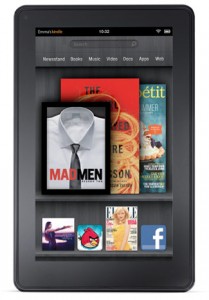 Here are the steps:
- With the Bluefire app on your Kindle Fire, access our ebooks at go/ebooks.
- If you don’t have the Blurefire app installed, our ebook site automatically links to Bluefire instructions for download.
- Once the Bluefire app is installed and authorized, click ‘download’ and your ebook will download and open.
- You can also transfer downloaded content from your PC or Mac to your Kindle with Adobe Digital Editions.
- We’ve got step-by-step directions on downloading ebooks to your desktop here. Or, if you’d rather not download, you can read ebooks online through the Kindle browser.
Enjoy, and look out for LIS’s very own Kindle Fires, available at a library circulation desk near you. (Sometime this summer we hope.)
And Adobe Digital Editions (explained in steps 4 and 5) is also how to get eBooks on to a Nook, Sony e-Reader, or any of the other myriad e-book readers out there. CNET has some reviews to help you choose. In case you’re looking.
I have the Bluefire app on my iPad. Will this work for me?
Yes! Scroll down to #5 on this page for directions: http://mediawiki.middlebury.edu/wiki/LIS/EBL_ebook_Downloading